Pico_USB_Disp
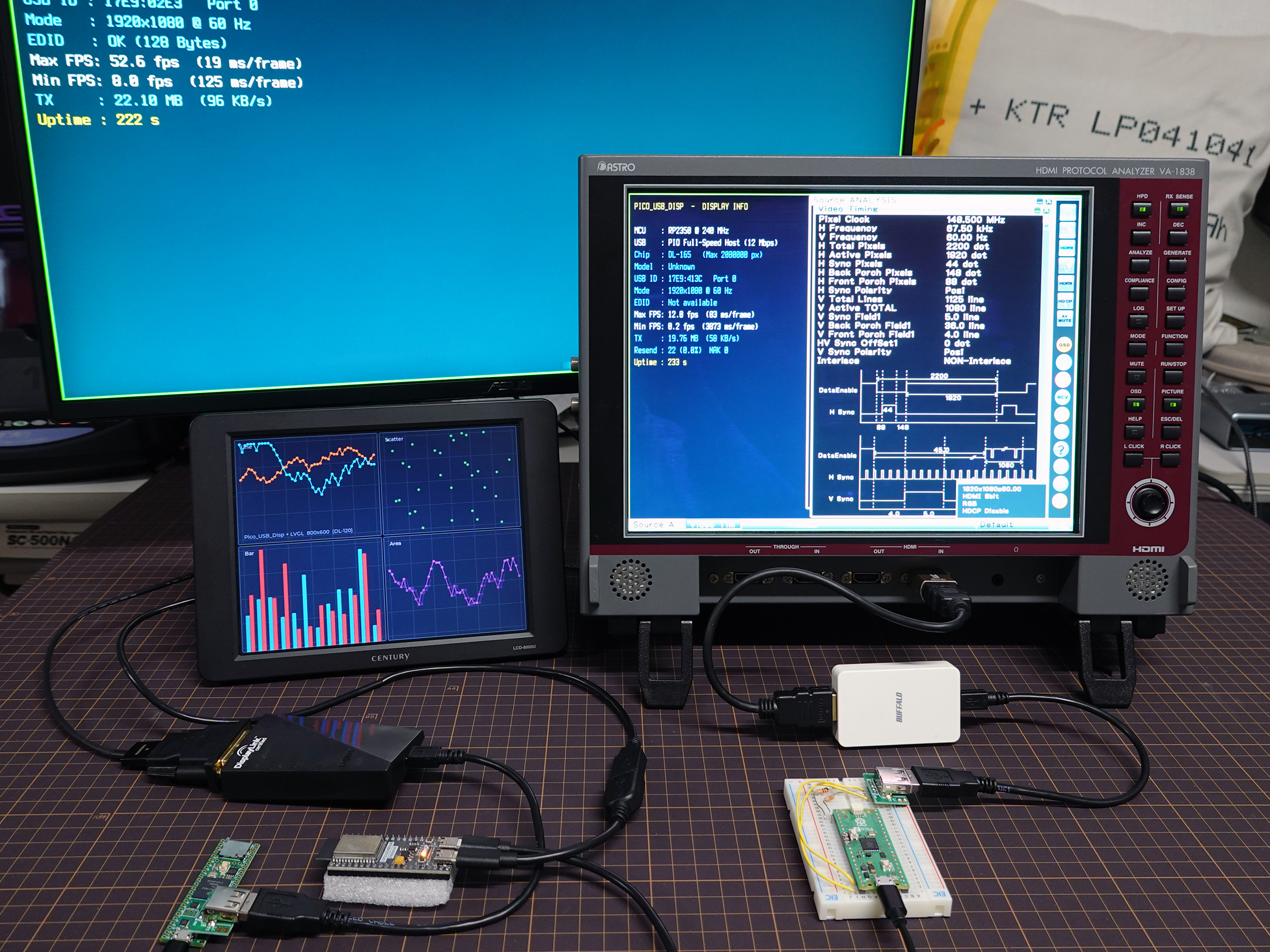
Drive a monitor from your microcontroller with a USB graphics display adapter.
This library implements USB display protocols on resource-constrained embedded platforms without requiring Linux or a desktop operating system.
With a supported adapter, a Raspberry Pi Pico or an ESP32 board can provide Full HD display output (1920 × 1080 at 60 Hz) using only two USB data lines (D+ and D-) for communication.
Because the adapter generates a standards-compliant video signal, it generally provides broader monitor compatibility than implementations that use simplified DVI signaling, such as PicoDVI.
Quick Start
- Get a supported USB display adapter. DisplayLink DL-165 and DL-195 adapters are recommended. (Click here for a list of supported hardware)
- Use an RP2040 or RP2350 board with a USB host connector, an ESP32-S2/S3/P4 board with a USB OTG connector (the ESP32-S3 is recommended), or a Teensy 4.x board with a USB host connector.
- Flash the firmware using the Web Flasher.
- Connect the display adapter to the board’s USB host port. The firmware will initialize the adapter and start video output automatically.
- See Library Usage to integrate Pico_USB_Disp into your project and explore the examples.
Overview
USB display adapters are normally designed for desktop operating systems and require proprietary or platform-specific drivers.
This library implements the required USB communication protocol directly on an MCU, allowing supported adapters to be used without Windows, macOS, or Linux.
- Draw to a USB display with
#include <usb_disp.h>and only a few lines of code. - Automatically select the clock and display mode from the monitor’s EDID.
- Automatic integration with LovyanGFX / LVGL v9.
- Build with the Arduino IDE, Raspberry Pi Pico SDK, or ESP-IDF.
- The library also supports Windows, Linux, and macOS. On these platforms, it communicates with the display adapter through libusb.
Documentation
- Library Usage - Installation, wiring, basic usage, integration with GUI libraries, troubleshooting, and examples.
- Web Flasher - Flash the test firmware directly from a supported browser.
- Hardware List - Find tested and potentially compatible adapters.
- API Reference - Function and configuration reference.
- Protocol Notes - Technical documentation for each chip’s on-wire protocol.
Third-Party Code
This project includes a modified subset of sekigon-gonnoc/Pico-PIO-USB.
All display-protocol implementations were written from scratch based on my own analysis and publicly available drivers. No source code from other display drivers is included.
Credits
- Author: Hideto Kikuchi / PJラボ (@pcjpnet) - https://pc-jp.net/
License
MIT License.
See the LICENSE file in the GitHub Repository for details.